

- Home
- Companies
- Eltek Limited
- Software
- Eltek - Version Darca Secure - Software ...
Eltek - Version Darca Secure -Software For Pharmaceutical and Food Sectors
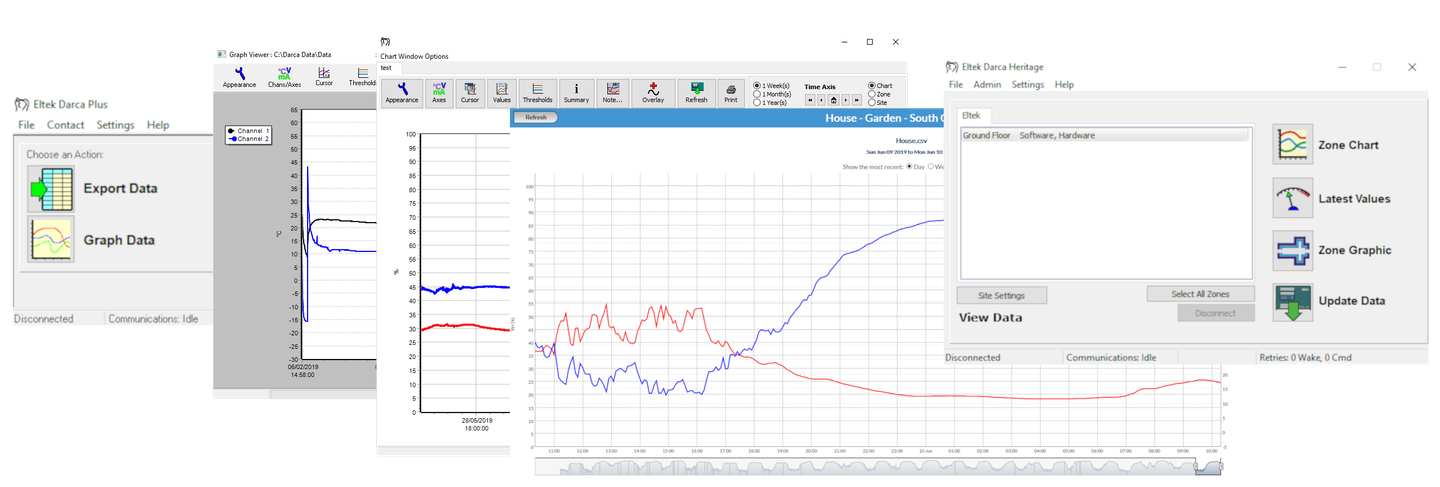
Darca Secure, a variant of the field-proven Darca Plus, includes enhanced security for the pharmaceutical industry following recommendations prescribed in FDA 21CFR Part 11. It is designed to communicate with the Eltek GenII telemetry receiver/logger type SC250 only (and cannot be used with standard 1000 series wired loggers).
- Tamper proof and secure data as prescribed in FDA 21 CFR Part 11
- Audit trails
- Administrator and user hierarchy
Darca Secure stores data in a file format which is encrypted using a key that is only known to Eltek. In addition to this, a key is placed in the audit trail at the point of download, and is updated on any changes that are made to the comments section of the file. The program does not modify the actual data and all stored data is completely tamper proof. Darca Secure also has audit trail and user management features that follow guidelines for electronic signatures set out in 21 CFR Part 11.
Data Viewing
- Each Graph window contains a drop down box that can select either:
- All selected channels.
- Channels specified in a particular group.
- Data summary window:
- Alarm Log
- File status
- Channel Setup
- Offline graph has legend checkboxes to quickly turn on/off channels.
- Online graph has quick access to specific channels from the meter bar window.
User Management
- Multiple Darca user groups with different levels of functionality which include:
- Darca Administrator (setup user details, audit types)
- Squirrel Administrator (squirrel maintenance)
- Supervisor (data approval)
- Data Manager (manipulation of data)
- Data Viewer (view data)
- Tester (open test files)
- Additional user details, including name, phone number and email address can be added.
- Printable List of user details available to the Darca Administrator.
- Password expiry.
- Audit and e-mail invalid login attempts.
Alarm Management
- Logged data:
- Alarm events and alarm status can be shown in the logged data.
- A list of alarm events can be produced.
- Metered data:
- Alarm events shown in meter window.
- Awaiting alarms, alarms, and historic alarms indicated in meter window by colour coded background.
- Comments can be added to the system audit trail to clear the historic alarms.
- Audit trail can be searched for meter alarm events and report produced.
Audit Management
- Audit entry search facility.
- Configurable Manual Audit entry types.
- Manual entry types can be created by an administrator.
- Audit trail split into monthly sections.
- The system audit trail will by default show the current months recorded system events.
- A time stamp and username is given with each entry.
- Events are categorised for searching for events of a specific type.
- Previous months audit trails can be viewed quickly from a drop down box.
- All of an audit trail or section can be printed.
- Search for text in the current months audit trail.
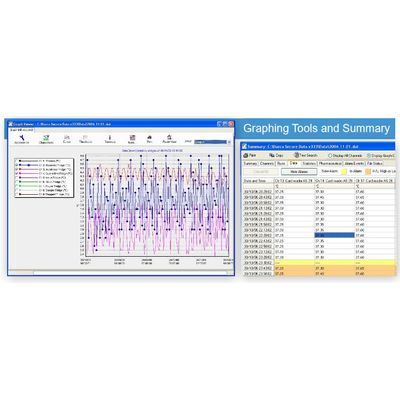
Graphing Tools and Summary
- The data can be viewed to either include or not include alarm event data.
- If alarm event data is shown then times when the squirrel is in alarm are highlighted.
- Alarm event is also highlighted. `---` indicates no alarm event on this channel.
- A choice of viewing all channels or only those in the graph can be shown.
Meter Window with Alarm Events and Statuses
- Mini meter style allows for more meters to be displayed on screen.
- Group names can be shown for each of the groups viewed.
- The meters are shown as a different colour depending on the alarm status.
- Open the meter graph for a specific channel by double clicking.
- Quick search for meter alarm events in the audit trail.
- Meter alarm event report can be produced from the audit search.
- Ability to add historic alarm comments for all channels that have been in alarm.
- Multiple channels can be edited simultaneously. Fast download
- Squirrels can be contacted directly or via modem* or ethernet
- Setups can be saved to disk and uploaded to other SC250 receiver / loggers.
- Channels can be renamed for easier identification when metering.
- Alarms can be set up and channels metered
- Data can be graphed using powerful graphing tools.
- Email / text message* on alarm.