


PTW Freiburg GmbH
- Home
- Companies
- PTW Freiburg GmbH
- Software
- PTW - Version Track-it - Web-Based QA ...
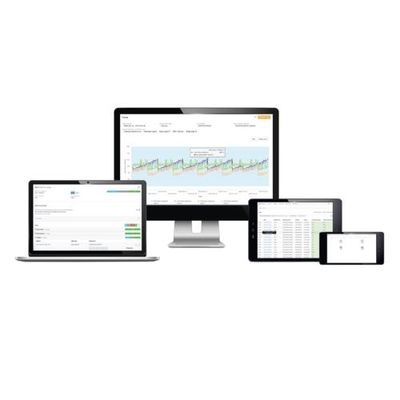
PTW - Version Track-it -Web-Based QA Data Management Software
Smart QA Data Management in Radiotherapy and Imaging. Increase efficiency in QA data management. Streamline your QA workflow with Track-it. The documentation and management of QA data and reports is a time-consuming process which requires a lot of administrative work and ties up valuable resources in radiotherapy and diagnostic imaging departments. As a browser-based data management software, Track-it manages all your QA data on one single, easy-to-access platform. By automating workflow steps, it saves you time and ensures data consistency across your organization.
Most popular related searches
advanced radiotherapy
radiotherapy system
diagnostic imaging
cancer treatment
radiotherapy
cancer radiotherapy treatment
radiotherapy imaging
radiotherapy imaging
radiotherapy treatment
Overview
- Web-based application for quick access to all your QA data from anywhere in your network using desktop or mobile devices
- Online or offline QA report processing, e.g., in treatment rooms without wireless network access
- User-defined protocol templates to customize Track-it to the specific needs of your QA workflows
- Full compliance with all major QA standards, including AAPM TG-142
- Traceable documentation of all steps in your QA workflow, such as data entry, modification and reporting
- Trend analysis over time and across multiple measurement or treatment devices with versatile display options
- Digital logbook to store and retrieve entries and attached service documents for your radiation devices, e.g., manuals, service reports or images
- Remote and on-site services for greater productivity right from the start
Track. Trend. Report.
Explore the advantages of a web-based QA data management solution for your everyday clinical work.
Effectively monitor QA data from multiple sources, devices or sites.
- Track and manage all of your QA data efficiently on one single platform and share it within your organization
- Export analyzed QA data from your PTW QA device to Track-it with the click of a single button. Add custom data manually or import external QA data via open XML interface – whenever you need it.
- Easily access your data from any network device simply by using a standard web browser, e.g., Chrome™, Firefox®, Internet Explorer® or Safari®.
- Effectively monitor and document your QA tasks as required by standard guidelines, e.g., AAPM TG-142 or DIN, using customizable protocol templates and smart Autofill functions.
Efficiently manage all QA data on one single platform.
- Quickly access, browse and view QA data from any data source and from anywhere in your network.
- Customize filters to restrict data selection and save your filters for future use.
- Personalize your data view by adding and/or removing parameters or data types to see only the data that interests you, conveniently on one screen.
- Click a specific measurement for more detailed information, e.g., related data points, measurement conditions or interactive mini charts that give you a quick overview of trends.
- Immediately spot deviations of selected data types, e.g., CAX or symmetry.
- Add and/or edit data manually.
Easily track changes over time to take action when needed.
- Show trends of selected data types to recognize outliers and deviations from previously defined limits more easily.
- Restrict data for chart display using custom filters.
- Zoom in on any section of the chart to see the data trend over a shorter period of time.
- Move the mouse over single data points in your trend graph to view measurement results and/or further details.
- Edit and/or add comments to single data points.
Conveniently monitor your QA tasks and document their results as required, in less time.
- Track the current status of your QA tasks (completed or open, pass or fail) from anywhere in your network.
- Use predefined or custom protocol templates, e.g., for AAPM TG-142 or DIN, to quickly collect the QA data you need.
- Save time by filling and/or updating your selected protocol automatically with the required QA data using Track-it Autofill.
- Add and/or edit data manually and save it in the Track-it database.
- Document results and print them for sign-off using preconfigured reports.
- Access tips and/or guidance on how to perform a specific test via the Info icon.
- Automatically archive completed protocols and retrieve saved documents any time you need them.